Forum Replies Created
-
AuthorPosts
-
March 31, 2025 at 12:08 pm in reply to: Accounts Not Updating Automatically After Payment (PayPal) #30129
admin
KeymasterAn outdated PHP version on your server can be one of the potential causes of a 503 error. It’s always a good practice to upgrade to a newer PHP version for better performance and compatibility.
However, to accurately identify the root cause, it’s important to review the full error message or server logs. Without that context, it’s difficult to pinpoint the exact reason behind the error.
KeymasterI believe you’re referring to the search feature in the Directory Listing addon. We have a ToDo item to extend the search functionality to include the Country column. I’ll look into this and follow up with you.
March 31, 2025 at 5:18 am in reply to: Accounts Not Updating Automatically After Payment (PayPal) #30124KeymasterThis issue is likely caused by one of the following:
#1) PayPal IPN Not Enabled:
Make sure the IPN (Instant Payment Notification) feature is enabled in your PayPal account. Please refer to this guide:
Enabling PayPal IPN Feature in Your PayPal Account
https://simple-membership-plugin.com/enabling-paypal-ipn-feature-in-your-paypal-account/#2) Server-Side Changes:
Your hosting provider may have made changes to the server (e.g., updated software, firewall, or security rules) that are now blocking PayPal’s IPN notifications.To troubleshoot, enable the plugin’s debug logging feature and perform a test transaction. This will help determine whether the IPN notification is successfully reaching the plugin after payment. In most cases, this is where the issue lies.
Please check the “Unexpected Behavior After Payment” section of the following documentation:
https://simple-membership-plugin.com/create-paypal-buy-now-button-inside-the-simple-membership-plugin/#unexpected-behavior-after-paymentKeymasterA plugin or theme might be affecting how the text domain loads on this WordPress site. Try running a plugin and theme conflict test to check:
https://simple-membership-plugin.com/forums/topic/test-for-plugin-and-theme-conflict-before-posting-an-issue-or-a-bug/KeymasterHi, We use the Simple checkout option of Stripe. The Stripe’s checkout/payment form it is controlled by Stripe. It cannot be customized from our plugin.
We offer integration with the Accept Stripe Payments plugin, which uses a more advanced Stripe API. It provides a simple and fast onsite checkout experience. Feel free to give it a try to see if you like it.
https://wordpress.org/plugins/stripe-payments/
https://simple-membership-plugin.com/stripe-payments-plugin-integration-for-membership-payment/
KeymasterHi, is your question related to the member’s admin dashboard interface, or is it regarding the search feature in the Directory Listing addon?
KeymasterCan you please verify that you uploaded those language files to the following directory also?
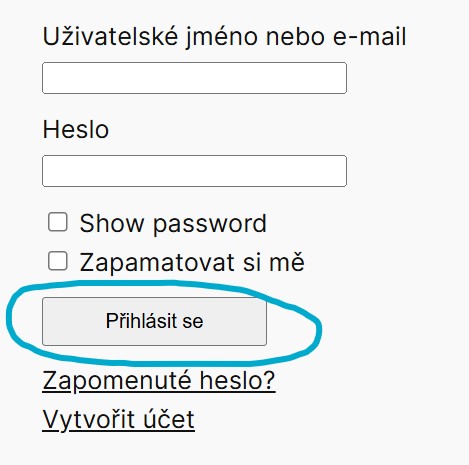
wp-content/languages/pluginsI uploaded to that directory and did a test with your language, it worked fine for me. See the screenshot here that shows that the “Log In” button is correctly translated to your language:
KeymasterWe’ve made some adjustments to the password reset processing order and priority. I’ll be sharing an updated version of the plugin with you so you can test it on your site and see if it works better.
You can download an updated copy of the plugin from our site using the following link.
https://simple-membership-plugin.com/wp-content/uploads/simple-membership.zipIf you want to try this update, first delete the currently active copy of the plugin then upload and activate the above mentioned one. You won’t lose any data (members, payments, buttons, settings etc.) in the process so it is safe to do this.
Let me know if this works better or not. If it doesn’t can you send us your language files so we can test it by setting it up on a test site of ours?
KeymasterThank you. Let me investigate this a bit more to make sure there is no race condition happening with the language loading for the password reset request form submission. I will get back to you once we get a chance to investigate this further.
KeymasterThis issue can often occur if your browser’s cookies or cache for your PayPal account are stuck. Try clearing your browser cookies and cache completely, then run the test again. Alternatively, try running the test in an incognito browser to see if that works better.
KeymasterThe update has been released.
KeymasterAdding the following documentation link:
https://simple-membership-plugin.com/how-to-override-simple-membership-plugin-templates-in-your-theme/KeymasterAdding this resource to this topic:
https://simple-membership-plugin.com/how-to-override-simple-membership-plugin-templates-in-your-theme/KeymasterThere are two separate issues here. I’ll clarify them so they can be addressed individually without confusion:
#1) Missing Strings in the Main POT File
The first issue is whether a particular language string shown by our plugin is included in the main Simple Membership plugin’s POT file. For reference, you can view the full POT file here:If a string is missing from the POT file, please let us know, and we will update the file to include it.
For example, I can confirm that the text “Processing password reset request…” is present in the main POT file. If it’s not appearing in a specific language file, it means that file is outdated and needs to be updated.
#2) Incomplete or Outdated Translations
The second issue is whether a particular language file is fully translated. Language files are created and maintained by the community — our team is small and primarily English-speaking, so we rely on user contributions for translations.If a language file is incomplete, users can either update the existing file or create a new translation. We welcome and appreciate any help from the community in keeping these translations up to date.
That said, please focus on one of these items first so I can provide a more targeted and streamlined response for that specific issue.
KeymasterThis will be an issue related to that particular language’s language file not having all the translation strings. It most likely needs to be updated.
To verify do the following test:
1) Go to the General Settings menu of WordPress
2) Temporarily switch your langauge to something like Spanish or German (I know that those language files are done correctly).
3) Check the login page to see if the full translation works for those languages or not.
4) This will help determine whether the issue lies with the language file or another cause.The “existing-file-translation-update-steps” section on the following documentation should be helpful:
https://simple-membership-plugin.com/translate-simple-membership-plugin/#existing-file-translation-update-steps -
AuthorPosts