
Forum Replies Created
-
AuthorPosts
-
garymclaughlin
ParticipantHello,
is this something you would consider adding?In the meantime, what would you recommend instead? Would a login widget in the sidebar perform the same thing/something similar? Keep users on the same page that is.
ParticipantTheme is the Manual theme by WPSmartApps.com and there is an SEO plugin as part of it, Yoast SEO basic — we don’t use the premium version of it.
September 2, 2020 at 9:44 am in reply to: Activate /Notify: Fails for multiple members, plugin issues #20821ParticipantThis Admin,
quick question — if I update the plugin on the backend of WordPress, using the download you’ve given me, will I lose all the info I have in the already-installed plugin? Such as members, settings I have in place, email templates, etc?September 1, 2020 at 10:50 am in reply to: Activate /Notify: Fails for multiple members, plugin issues #20813ParticipantHi mbrsolution,
just wanted to clear something up, incase something got lost while describing my error.
When people sign up on my website, their accounts (powered by Simple Membership) automatically default to Pending. They all receive an email saying Their Account is Pending and when activated, we will notify them.
If I go into a person’s profile and manually set it to Active and click the NOTIFY USER checkbox, this works and they receive the email — which is sent via WP Mail SMTP with Sendgrid settings.
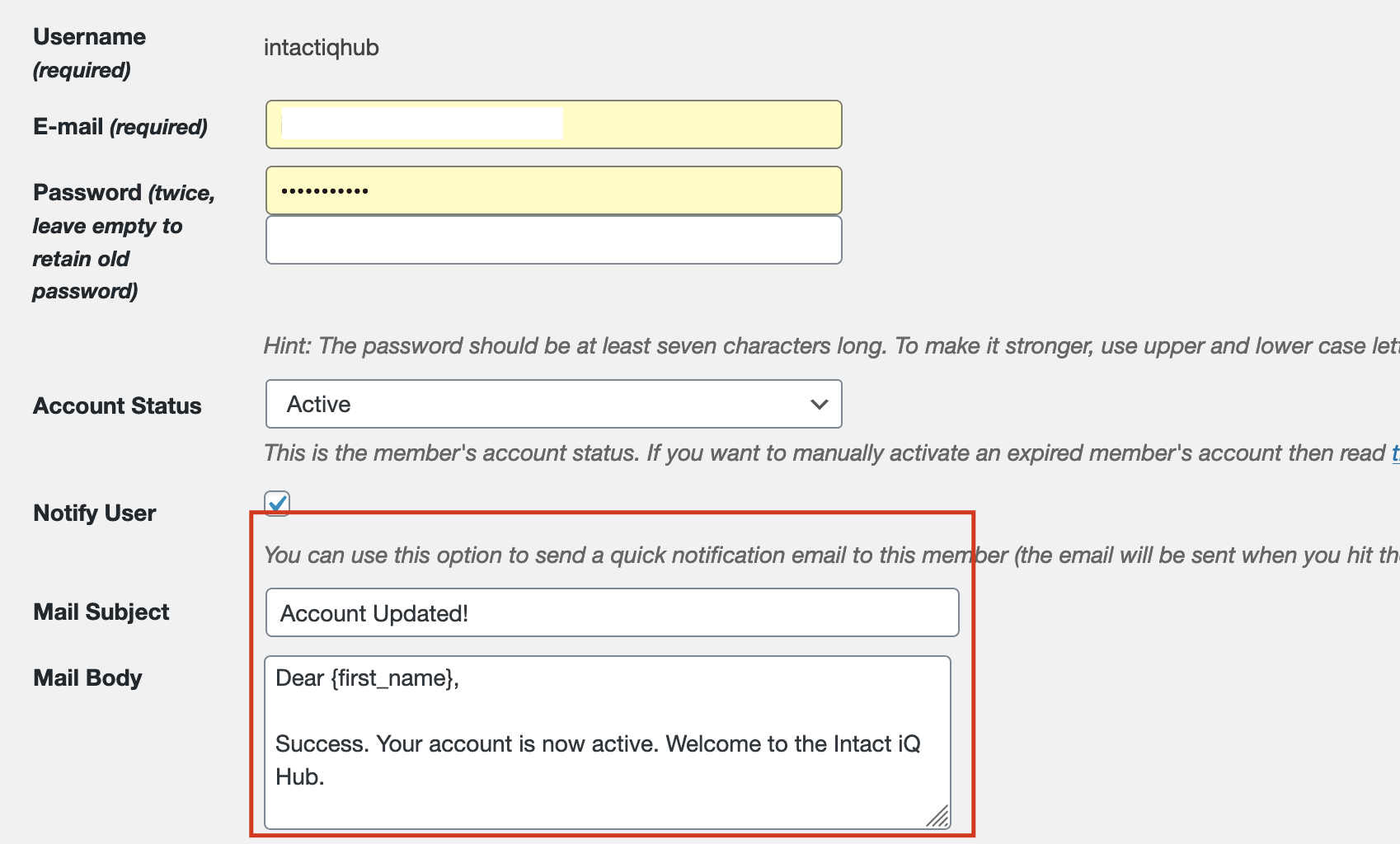
As noted, the problem exists when I use this option — the bulk activate/notify selector.
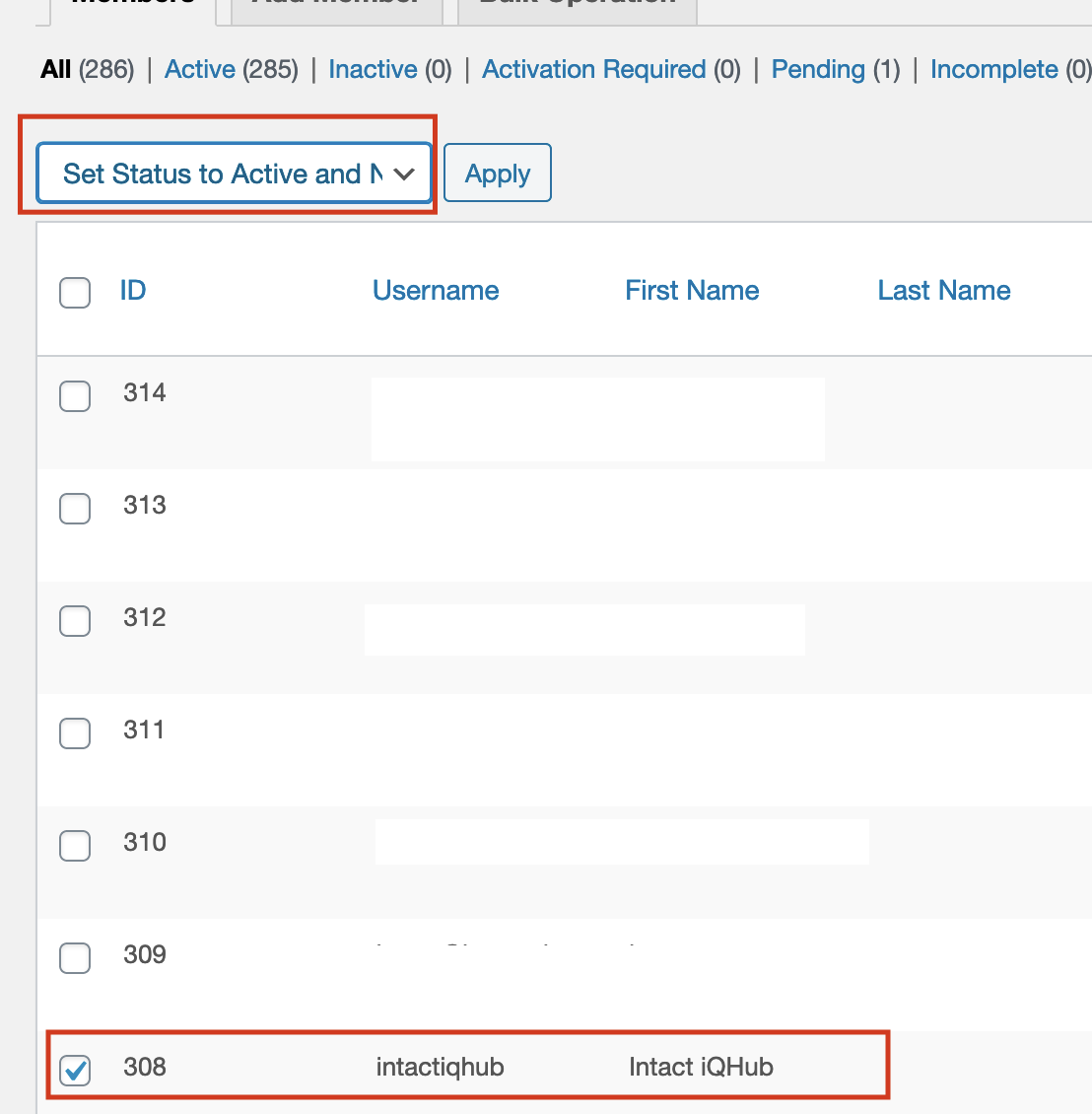
When I try to click Set Status to Active and Notify, I get the error message from WP Mail.
It seems the Simple Membership Plugin is not sending a recognised email address to the mail plugin. The WP Mail plugin is working for all other emails sent via the website, just not the Bulk Status and Notify option, which suggests it’s a Simple Membership error. Therefore, I don’t think contacting my host is a logical step at this stage. Any further thoughts?
August 31, 2020 at 3:59 pm in reply to: Activate /Notify: Fails for multiple members, plugin issues #20807ParticipantJust tried it there with a test account I set up it failed to send when I tried the “bulk notify” with just one person selected.
Got this error message again
EMAIL DELIVERY ERROR: the plugin WP Mail SMTP v2.3.1 logged this error during the last time it tried to send an email:
Mailer: SendGrid
The to array is required for all personalization objects, and must have at least one email object with a valid email address. – personalizations.0.to; http://sendgrid.com/docs/API_Reference/Web_API_v3/Mail/errors.html#message.personalizations.toConsider running an email test after fixing it.
August 27, 2020 at 4:01 pm in reply to: Activate and Notify: works for a single member but fails for multiple members #20784ParticipantI am having the same issue as er-dev, except I am using the plugin WP Mail SMTP.
We have set up the plugin using Sendgrid.
When I try to do bulk activate and notify, an error happens. On the error log, it looks like the email addresses are not separated properly. Instead of using a “;” to separate the addresses, it instead is using a comma and no spaces. Thus the email addresses in the To field look like: gary@gmail.com,tom@hotmail.com,John@yahoo.comAs a result WP Mail SMTP gives me this error:
EMAIL DELIVERY ERROR: the plugin WP Mail SMTP v2.3.1 logged this error during the last time it tried to send an email:
Mailer: SendGrid
The to array is required for all personalization objects, and must have at least one email object with a valid email address. – personalizations.0.to; http://sendgrid.com/docs/API_Reference/Web_API_v3/Mail/errors.html#message.personalizations.toConsider running an email test after fixing it.
I followed the advice on this page and seems I had everything set up like er-dev did. I then tried to follow your suggestion and intall Easy WP SMTP. We set it up, using the settings Sendgrid gave us (and the settings that work with WP Mail SMTP), but when we try to connect Easy WP SMTP, it gives us this message:
Following error occurred when attempting to send test email:
SMTP connect() failed. https://github.com/PHPMailer/PHPMailer/wiki/Troubleshooting
SMTP ERROR: Failed to connect to server: Connection refused (111)SMTP connect() failed. https://github.com/PHPMailer/PHPMailer/wiki/TroubleshootingAnything anyone can do to help — either by fixing the To field that is coming from Simple Membership in the Bulk activation/notification emails or help connecting to Sendgrid using Easy WP SMTP.
-
AuthorPosts