The Simple Membership plugin includes an option to protect individual WooCommerce product pages. This feature allows you to restrict access to specific products based on membership levels, similar to how you protect standard WordPress posts and pages. Once protected, only authorized members can view the full product details.
Note: The product will still appear in your shop listings, but the individual product page itself will be secured.
Table of Contents
Steps to Protect a WooCommerce Product Page
Follow these simple steps to apply membership protection to any of your product pages:
1. Edit the Product
Go to your WordPress admin dashboard and navigate to Products. Click on the product you want to protect to enter the product editor.
2. Apply Protection
Scroll down the product editor page until you find the “Simple Membership Protection” section.
Within this section:
- Select the Membership Levels that you want to have access to this product page.
- Save or Update the product to apply the protection.
If you’re not familiar with how to apply content protection to individual posts or pages, please refer to the How to Apply Content Protection documentation.
3. How the Protection Works
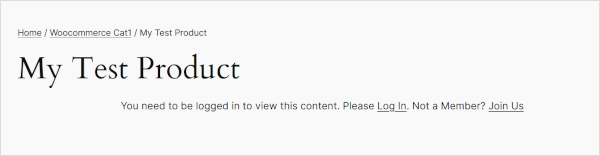
Once the protection is applied, any non-member or member without the required membership level who tries to view the individual product page will see the default protection message.
Below is an example screenshot showing how a protected WooCommerce product page appears to non-members.
Protecting Shop and Listing Pages
If you want to protect the main WooCommerce Shop page or other product listing pages (like category or tag archives), you can use the Simple Membership Full Page Protection Addon. This addon allows you to apply protection to entire pages outside of the individual product editor.