The simple membership plugin requires the PayPal IPN (Instant Payment Notifications) feature to be enabled in your PayPal account. The plugin uses the IPN feature to receive membership payment notifications from PayPal.
The IPN feature is enabled by default so if you have never changed the setting, you shouldn’t need to do anything. If the plugin is not receiving payment notifications from PayPal then check your IPN settings to make sure it is enabled.
Enabling PayPal IPN Feature
Do the following to enable PayPal IPN feature in your PayPal account.
Step 1) Log into your PayPal account and go to the profile screen.

Step 2) Click on the update link for the “Instant Payment Notifications” row.
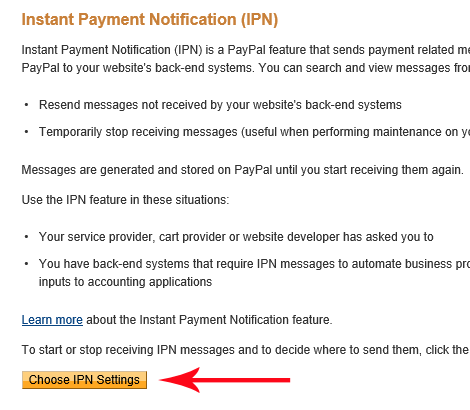
Step 3) Click on the “Choose IPN Settings” button from this page.
Step 4) Enable the IPN feature from this page and save it.
Note: Our plugin doesn’t require you to use any special URL for the IPN feature. All we need is that the IPN feature be enabled in your PayPal account.
You can just use your homepage URL to enable the IPN feature. Example: https://yourdomain.com
Below is a screenshot of how we have enabled it for our own website using our domain.

Setting UTF-8 Formatting for Your PayPal IPN
If your user base is non-english, then set your PayPal IPN message formatting to UTF-8.